How I Work Today: Terminal, Agents and a Second Brain
Four years on from my Babylon-era setup: agent skills in Pi, tmux and Neovim as the whole IDE, Gmail in the editor, dotfiles that build a machine in one command, a PARA notes repo as a second brain, and the same session from desk, iPad or iPhone over Tailscale and mosh.
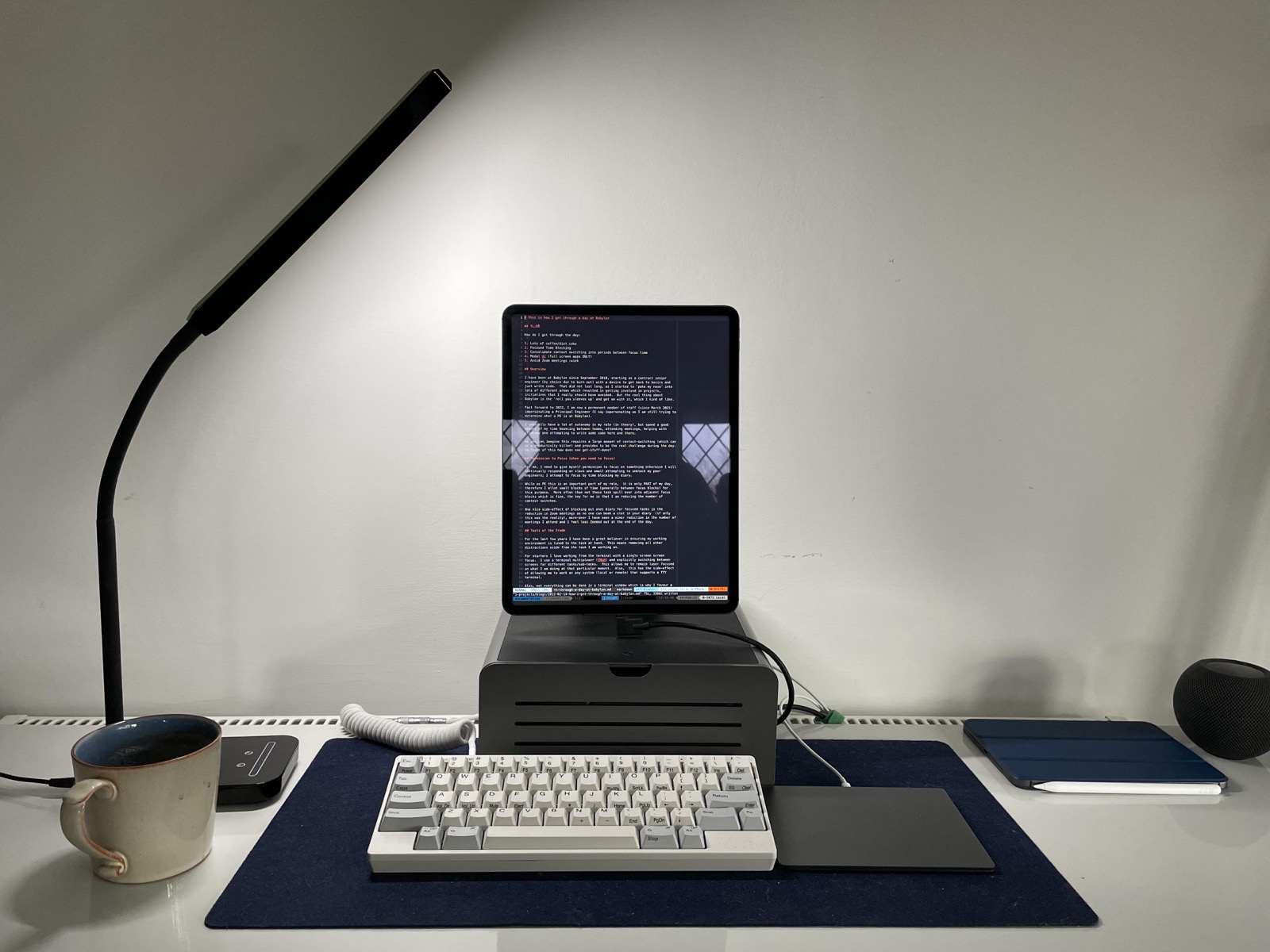
In 2022 I wrote about how I got through a day at Babylon: time blocking, batching context switches, and a modal, terminal-first setup on an iPad Pro. Four years on the principles are the same, but the tools have changed a lot. The biggest change is that I now spend my day directing agents rather than typing every line myself.
TL;DR
- Still terminal-first: tmux + Neovim is the whole IDE.
- AI agents (Pi) live in tmux panes next to the editor and run the repetitive parts of the SDLC through skills.
- Mail, Jira and my notes are all plain text in the same terminal.
- One
install.shturns a new Mac (or a FreeBSD/Linux VPS) into my machine. - A markdown repo organised with PARA is my second brain and the agents’ memory.
- Desk, iPad or iPhone: I get the same tmux session via Blink, mosh and Tailscale.
- Input: a Planck ortholinear keyboard and, most recently, a Keychron Nape Pro trackball.
The Terminal Is Still the IDE
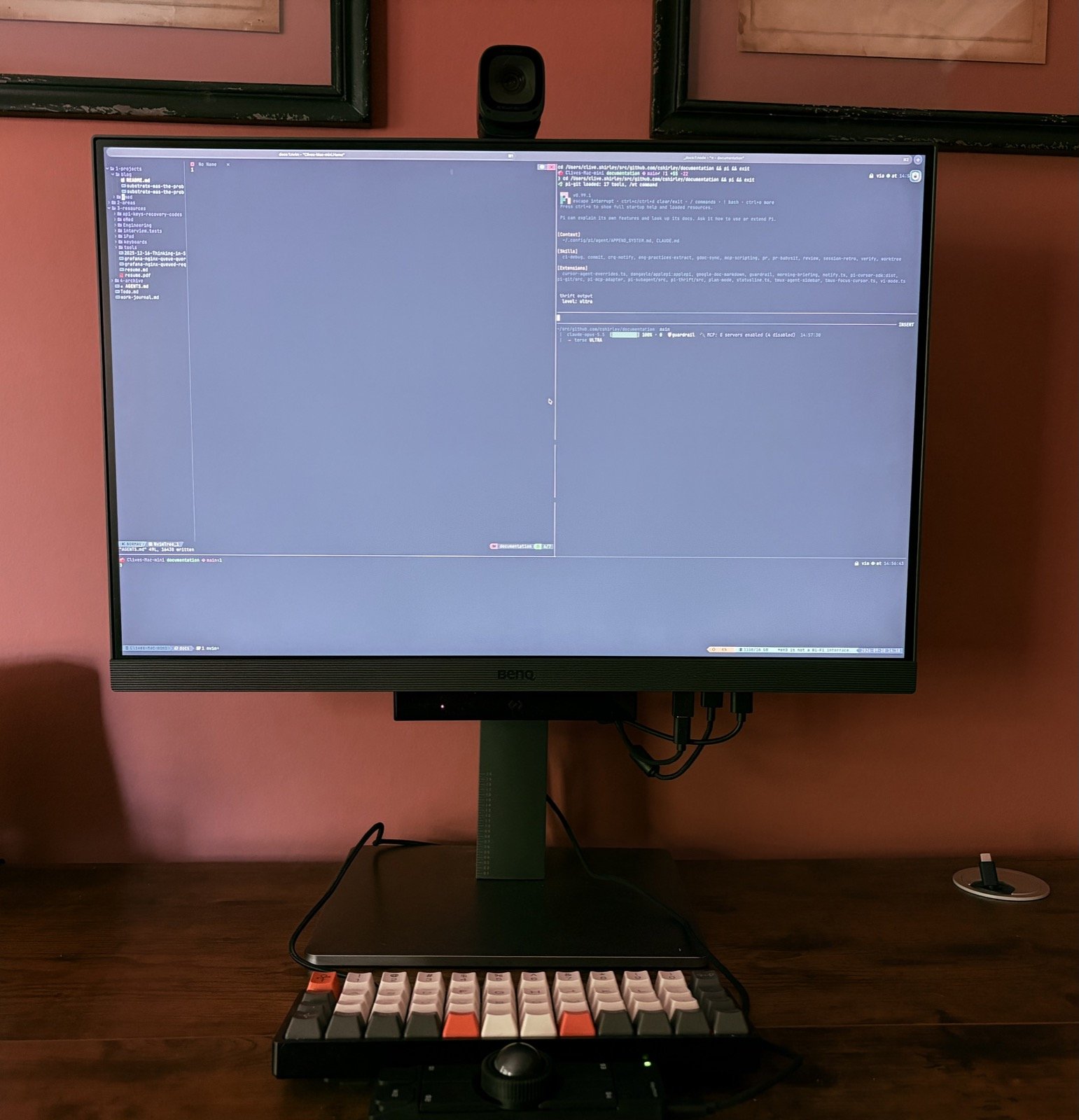
The core idea from 2022 still holds: one task, one screen, no distractions. The difference is that tmux now does more of the work.
tmux
Every piece of work gets its own tmux session. A small script, work, turns a
ticket into a place to work:
work add STEP-123            # git worktree off origin/main + tmux session named STEP-123
work remove STEP-123         # checks everything is pushed, then removes worktree, branch and session
That gives me one session per ticket, each with its own worktree. Parallel work
doesn’t interfere, and switching tasks is prefix s, which is quick enough that
a context switch costs very little.
The rest of the config is kept small on purpose:
- vi everywhere:
mode-keys vi,status-keys vi, andvim-tmux-navigatorsoC-h/j/k/lmove between Neovim splits and tmux panes without me thinking about which one I’m in. - Persistence:
tmux-resurrect+tmux-continuum. Sessions survive reboots, and that matters when I’m reattaching from a phone. - OSC 52 clipboard: yank in tmux or Neovim and it lands on whichever device I’m typing on, even over SSH (more on that below).
- AI menu on
prefix a: pickpioraccordandtmux-aisplits the pane. It finds the Neovim instance in the current session throughneovim-remoteand passes its open buffers to the agent as@filereferences, so the agent starts with the files I’m looking at. - Agent sidebar: a fork of
tmux-agent-sidebarlists every running agent across sessions with its state (running, waiting, idle, error), and sends a desktop notification when one finishes or needs a decision.
The last two changed how I work the most. I can have three or four agents running in different ticket sessions, and the sidebar tells me which one needs me next. It’s the same batching of context switches I described in 2022, but the agents now decide when the switch happens.
Neovim
Neovim is NvChad-based with LSP, conform, DAP, neotest, fugitive and gitsigns,
plus a local/ plugin directory for my own tools:
- Jira and Confluence plugins, so tickets and pages open as buffers.
- Markdown preview and a frontmatter plugin. Whenever I save a note in
my documentation repo it fills in
id,title,date,updated,authorand bumpsversion. - Mail, covered next.
Gmail in the Editor
Email is the most distracting app I use, so I stopped using it as an app. Gmail syncs to a local Maildir and I read it in Neovim:
- lieer (
gmi) syncs Gmail over the Gmail API to~/.mail, turning Gmail labels into notmuch tags and back. - notmuch indexes and tags the mail.
- notmuch.nvim gives me
threads and messages as Neovim buffers, with a background
gmi sync.
I made a few changes to fit my habits. :Inbox is overridden to
tag:inbox and not tag:sent, deleting a thread adds trash so the deletion
reaches Gmail, and <C-g><C-g> sends. Mail is now something I open during a
context-switch block and then close, like any other buffer. There’s no badge
counting up in the corner.
Agents get Gmail another way. They use the Google Workspace API (and an MCP server as a fallback), so they can search mail and draft replies without touching my Maildir.
Agents, Skills and the Morning Run
I covered the details in Building an AI-Native Development Workflow with Pi, so here is the short version of how it looks today.
Pi is my main agent. On top of it sits ACCORD, my own
harness (Agentic Contract for Collaborative Objectives, Requirements, and
Rigorous Delivery). It turns a request into validated artifacts
(brief.md, spec.json, plan.json, verify.json) and runs adversarial
test review, code and verification phases in isolated subagents. For a ticket
I run accord drive <TICKET>. Smaller jobs use single-purpose skills:
| Skill | What it does |
|---|---|
commit |
Stages everything and writes a message with Context, Decisions and Test Areas |
pr |
Pushes and opens or updates the PR, pulling acceptance criteria from the spec |
review |
Parallel code, security and test review of the current diff |
verify |
Runs the project’s test, lint and typecheck in the right worktree |
ci-debug |
Triage for red CI: merge state, failing checks, log excerpts |
worktree |
Creates, lists or resolves ticket worktrees |
pr-babysit |
Watches a PR through review and CI |
session-retro |
Looks back over a session to find what to change in the workflow |
The tools load progressively. A session starts lean, and Git, Jira, Slack or Gmail tools only load when the task needs them, so I’m not spending context on tools I won’t use.
The morning run is a launchd job (pi-morning) that runs before I sit
down. It doesn’t use an LLM. It collects Jira, Slack mentions, Calendar and
Gmail, writes the day’s entry in my work journal, and emails my weekly
objectives to my line manager once a week. Most mornings I read one markdown
file and start work.
Some guardrails sit around all of this. A command gate stops destructive
commands until I approve them. plan mode keeps an agent read-only while it
explores. Secrets never live in the repo.
Dotfiles: One Command to My Machine
Everything above lives in one repo,
dotfiles, which is cloned to
~/src/github.com/cshirley/dotfiles and symlinked as ~/.config:
git clone git@github.com:cshirley/dotfiles.git ~/src/github.com/cshirley/dotfiles
ln -s ~/src/github.com/cshirley/dotfiles ~/.config
~/.config/install.sh            # full install
~/.config/install.sh --links    # just re-link after a pull
~/.config/install.sh --vps      # headless server, no GPG/pass bootstrap
It covers zsh (Starship, lazy-loaded modules), tmux, Neovim, Ghostty, git,
ssh/sshd, notmuch, launchd agents, a Brewfile, and the entire Pi agent
config: extensions, skills, agents, MCP and model tiers. The same repo
bootstraps macOS and a FreeBSD/Linux VPS.
A few design decisions have held up well:
- Symlink, don’t copy.
install.shonly creates links, and it refuses to overwrite a real file. Every change is a git diff. - Secrets stay out. Personal keys and
secrets.envlive in an encrypted vault at~/private(a sparse bundle on macOS, gocryptfs on Linux), managed withpass, andsecrets-exportwrites them out at runtime. Gitleaks and shellcheck run as pre-commit hooks and in CI. - Validated.
dotfiles-validateruns the same checks locally as in CI, so a broken config doesn’t reach a new machine.
A new laptop takes me about as long as the Homebrew download.
A Second Brain in Markdown
My documentation repo is a plain-markdown vault organised with the
PARA method:
1-projects/   active work, by year (this blog's drafts live here)
2-areas/      ongoing responsibilities
3-resources/  reference: tools, keyboards, iPad, engineering notes
4-archive/    finished work
work-journal.md
Todo.md
It’s the second brain for me and for my agents:
- The work journal is shared state. The morning run writes into it, I tick items off during the day, and an evening reconciliation marks what actually happened, so tomorrow’s carry-over is accurate.
- Agents read it as context. The repo has its own agent instructions (diagram rules, structure, conventions), so an agent asked to “draft a post about X” or “write up that incident” knows where things go and how they should look.
- Everything is text. Mermaid, PlantUML and Excalidraw diagrams, clipped articles and keyboard firmware configs all sit in git. They can be grepped, diffed and synced to every device.
Frontmatter stays consistent because Neovim adds it on save, and I never have to think about it.
Same Desk, Anywhere
In 2022 I SSHed from an iPad Pro into my MacBook. The idea hasn’t changed, but the connection is now much more reliable:
- Tailscale puts the Mac, a VPS, the iPad and the iPhone on one private network. There are no open ports and no dynamic DNS. The Mac is reachable by name wherever I am.
- A user-space
sshdon the Mac, hardened: ed25519 public keys only, no passwords, a modern cipher/MAC/KEX list, one allowed user. - Blink Shell on iPad and iPhone connects with mosh, so the session survives network changes, sleep and flaky hotel Wi-Fi.
- tmux keeps the session. I attach to the same session I left at my desk, with the same agents still running and the same Neovim buffers open.
A few small fixes make it feel native. Neovim detects SSH_CONNECTION /
MOSH_CONNECTION and switches to OSC 52 copy with an empty remote paste
provider, so copying goes to the iPad’s clipboard and pasting uses Blink’s own
Cmd+V. A Pi extension stops the agent TUI’s blinking cursor from leaking
into other panes over mosh, and SSH config never forwards my agent to hosts
I don’t own.
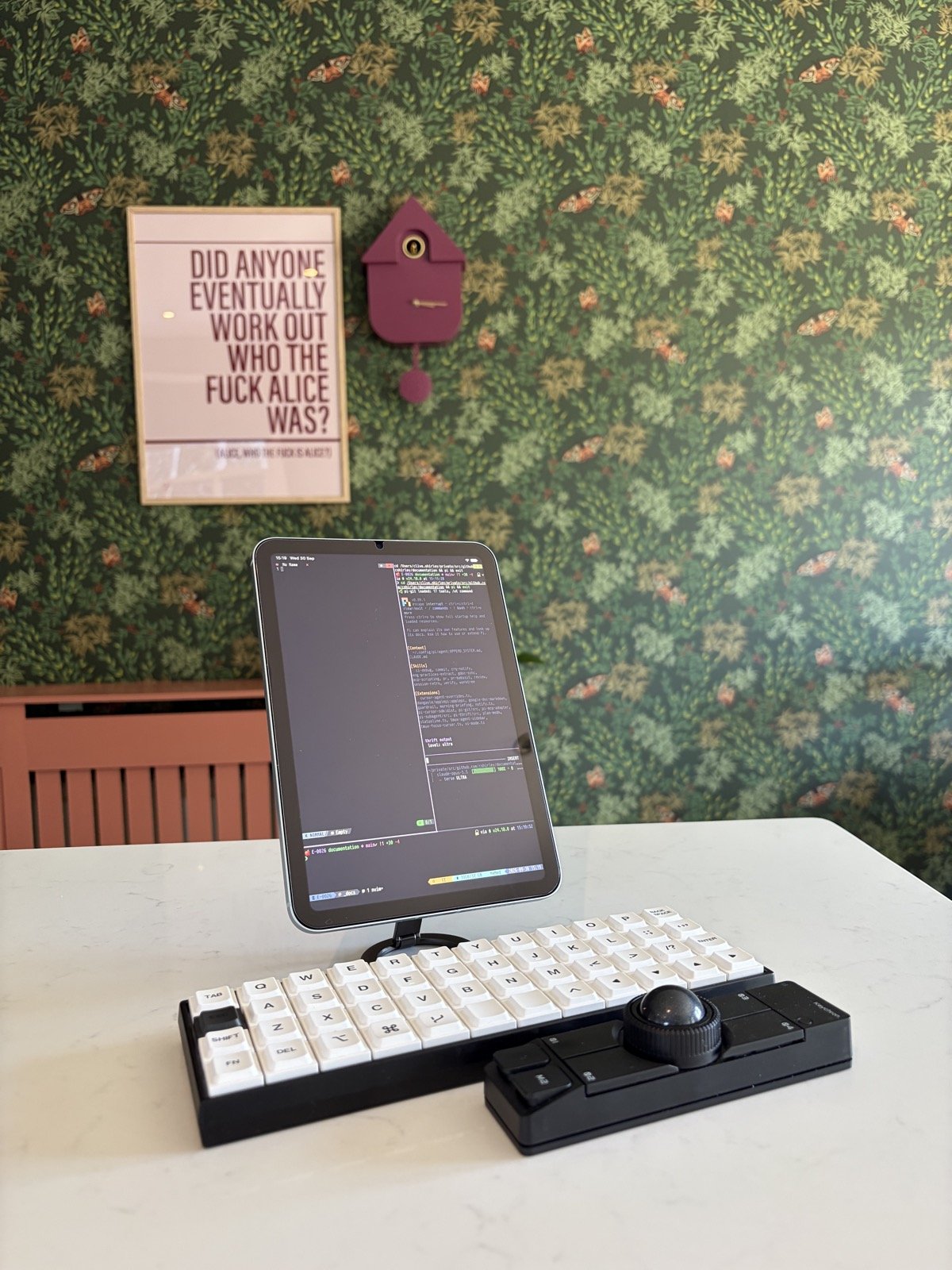
The result is one workspace whether I’m at my desk, on an iPad on the way to the office or in a café, or on an iPhone in a queue. The iPhone isn’t for writing code, but it’s plenty for checking an agent’s progress, approving a gated command or replying to a review comment.
Input: Planck and Nape Pro
The last layer is the physical one.
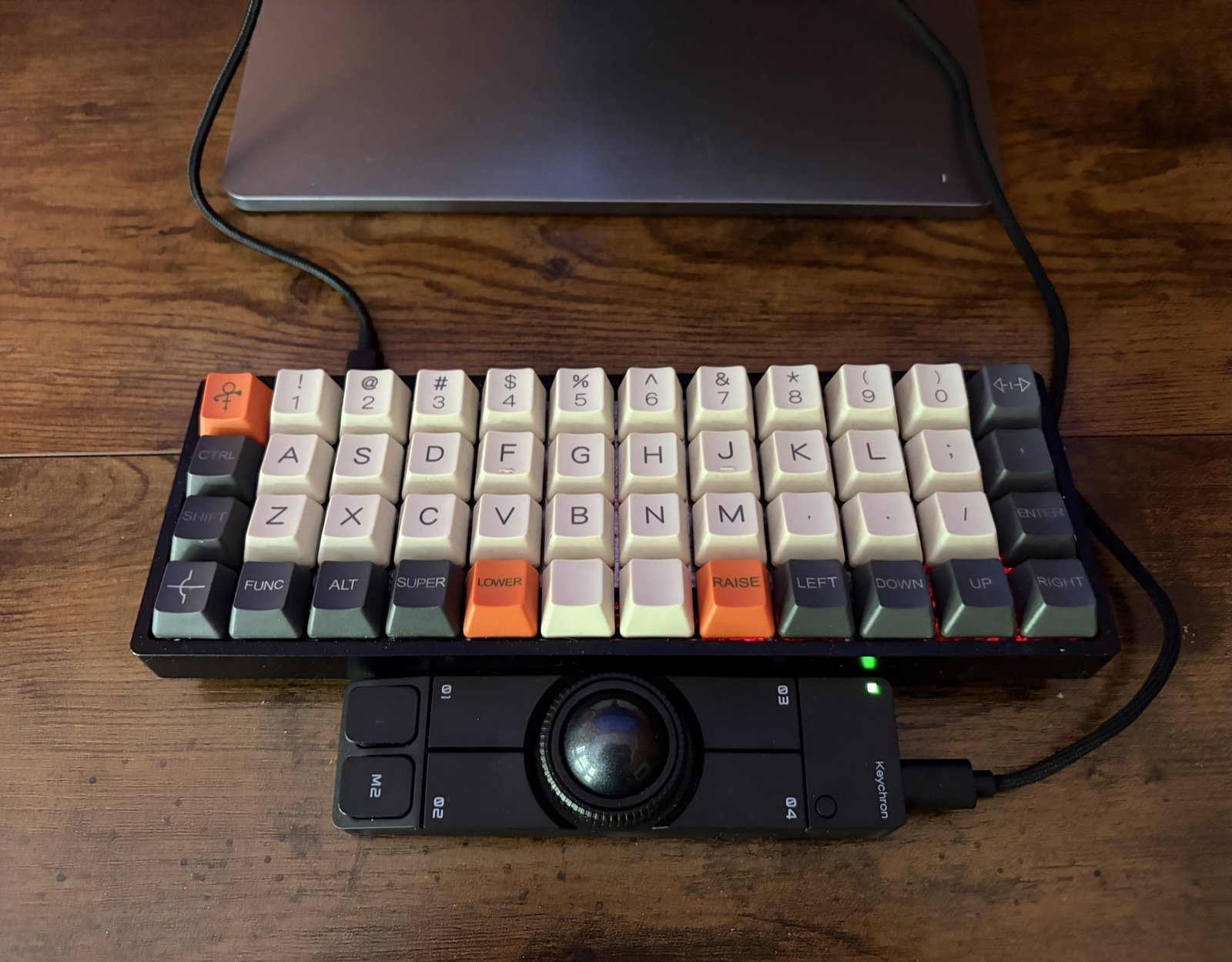
Planck (ortholinear, 40%). A 4x12 grid with keys in straight columns, no
number row, and layers for everything else. Along with my Geonix rev 2, a
Planck-compatible board, it’s all I type on. The layouts are QMK/VIA JSON
files in my documentation repo, and the flashing steps are written down next
to them, so rebuilding a board is repeatable. The most useful key is
LCTL_T(KC_ESC): tap for Escape, hold for Ctrl. In a vi, tmux and Neovim
setup that one key does a lot of work. Once you’re used to the layers, your
hands barely leave home row, and that fits a keyboard-driven setup well.
Keychron Nape Pro (trackball). My newest addition. I use the mouse much less than most people, but I still need it for browsers, design tools and the odd GUI. A trackball stays in one place, so I don’t reach across the desk and the hand movement stays small, which suits the rest of the setup. It’s early days, but it has already replaced the mouse.
What Hasn’t Changed
Looking back at the 2022 post, the core ideas are the same:
- Permission to focus. Time blocks, and batching the small stuff between them.
- Modal UI. Full-screen, one task at a time, and now one tmux session per task.
- The terminal is portable. Anything with a TTY is a workstation.
What’s new is who does the typing. Most of my day now goes on deciding what to build, reviewing what the agents produced, and keeping the system that runs them sharp. The setup exists to make that loop fast and keep it free of distractions, from any desk.
Still plenty of coffee, though. That hasn’t changed either.